

The Mac apps guide
5 Mac apps that are real everyday upgrades
Arrange your windows. Share a file. Find space. Record a walkthrough. Bring back something you copied. Five useful upgrades for your Mac—three free, two paid.
Find my next Mac upgrade

Rectangle
FreeStandard edition · open source
Give every window its place.
A browser on one side, a document on the other: it is a small setup that makes a lot of work easier. Rectangle lets you move and resize windows with keyboard shortcuts or by dragging them into snap areas.
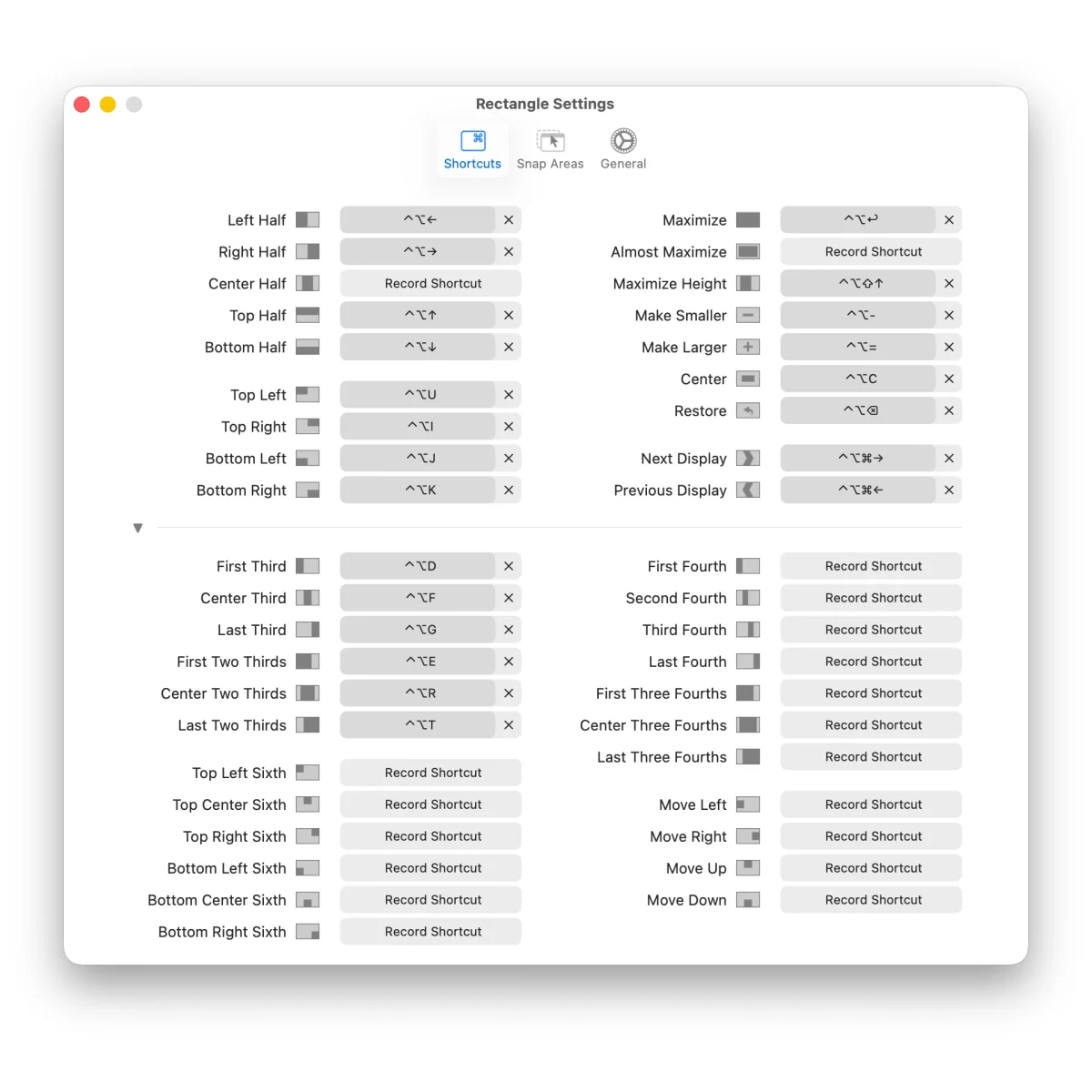
It earns a place when you repeatedly rebuild the same layout or want more keyboard control. Start with two shortcuts you will actually remember. You do not need to turn window arrangement into another project.
Try itPut your browser in the left half and your notes in the right. Repeat that layout with Rectangle’s shortcuts.
Skip itThe window tiling built into your version of macOS already covers the layouts you use.

LocalSend
FreeOpen source · cross-platform
Send a file across device boundaries.
The awkward transfer is often between your Mac and an Android phone or a Windows computer. LocalSend moves files between nearby devices on the same local network, without requiring an account or a cloud upload.
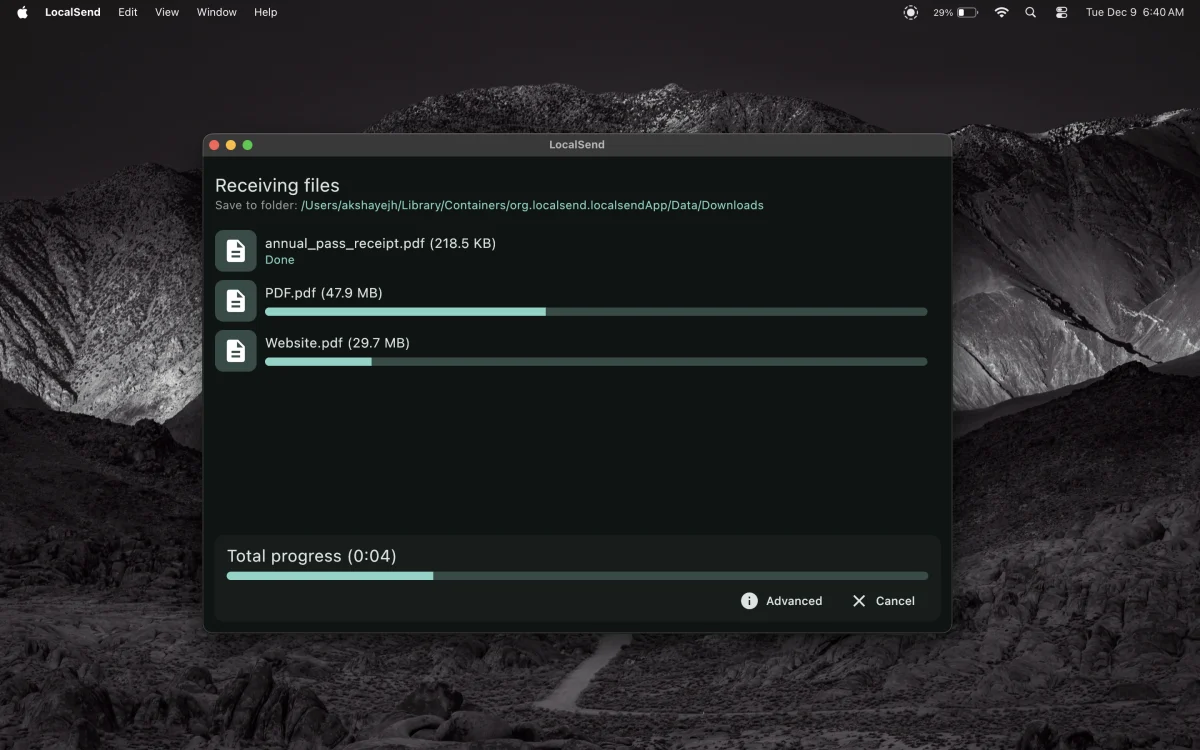
Install it on both devices, open it, select a file and choose the receiving device. It is especially useful in a household or workplace that does not use only Apple hardware. Both devices need to be reachable on the network.
Try itSend a photo from your phone to your Mac while both are connected to the same Wi-Fi network.
Skip itYou only transfer between Apple devices and AirDrop already works well for you.

DaisyDisk
PaidOne-time purchase · free trial
See what is taking up space.
A nearly full Mac does not always make the culprit obvious. DaisyDisk turns disk usage into a visual map, so you can explore large folders and find the downloads, videos or archives taking up room.
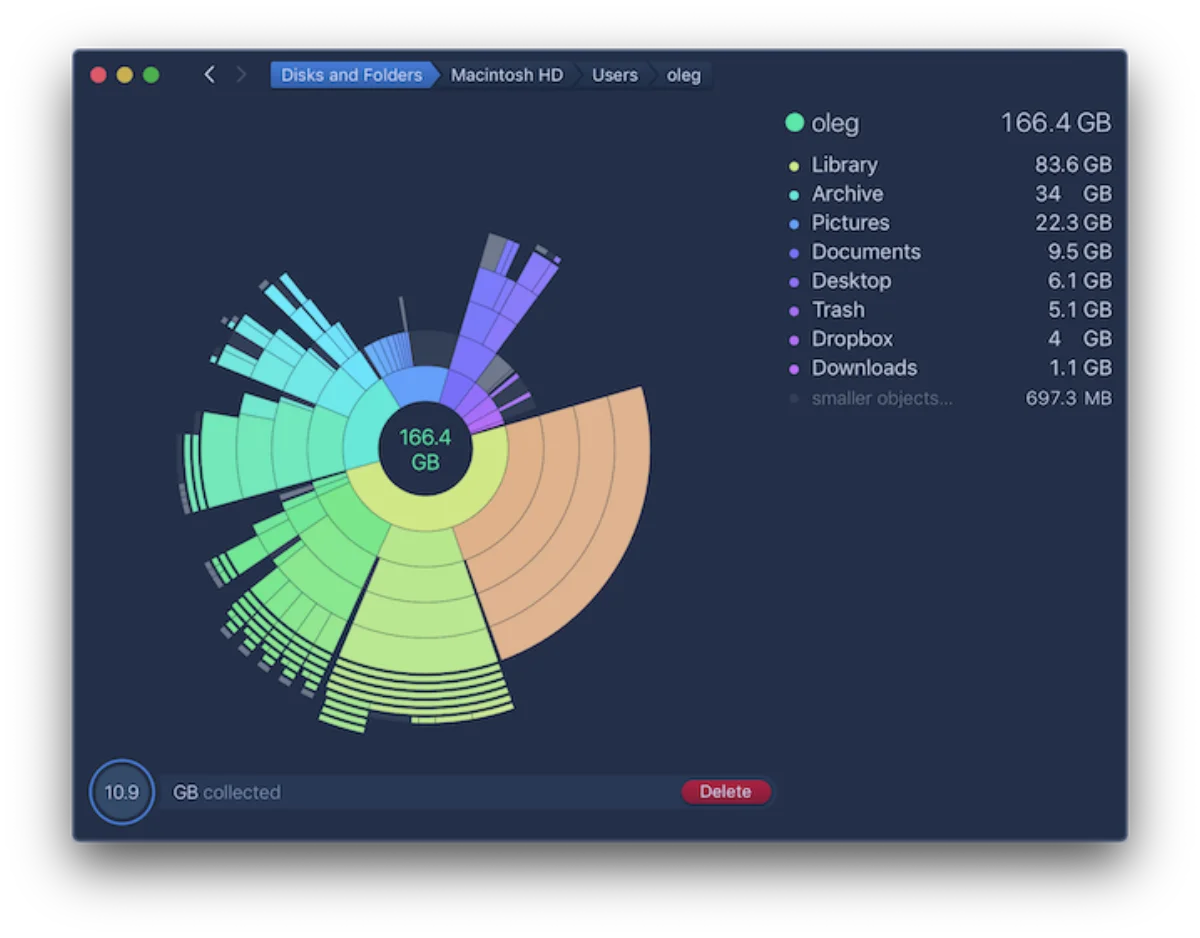
It is a paid, one-time purchase with a free trial. Use the map to investigate, then review what you actually want to keep. It helps you understand your storage; it does not decide which files matter to you.
Try itScan your disk and explore the largest segment. Look for one old download or archive you recognise.
Skip itThe storage tools built into macOS already show you everything you need. Never delete a file you cannot identify.

Recordly
FreeOpen source · macOS 14+
Show it once. Explain it clearly.
When a written explanation turns into a wall of text, a short screen recording can help. Recordly combines recording with an editor for walkthroughs and demos, including automatic zoom suggestions, smoother cursor movement and styled backgrounds.
The core app is free and open source. Trim the pauses, draw attention to the important step and export a video or GIF. Its current Mac requirements specify macOS 14 or later. Start with a short recording to check your capture and audio setup.
Try itRecord one task in under a minute. Remove a pause and add a zoom around the step someone might miss.
Skip itYou only need a basic, unedited screen capture; the Mac’s built-in recording tools may be enough.

Linkhiv
PaidClipboard history · One-time purchase
Find what you copied earlier.
A useful link, a copied image, a screenshot you took earlier: Linkhiv keeps them within reach. Copied text, links, images and files share one searchable Library with new screenshots from your chosen screenshot folder. Open it with one shortcut, find what you need, and paste it back into your work.
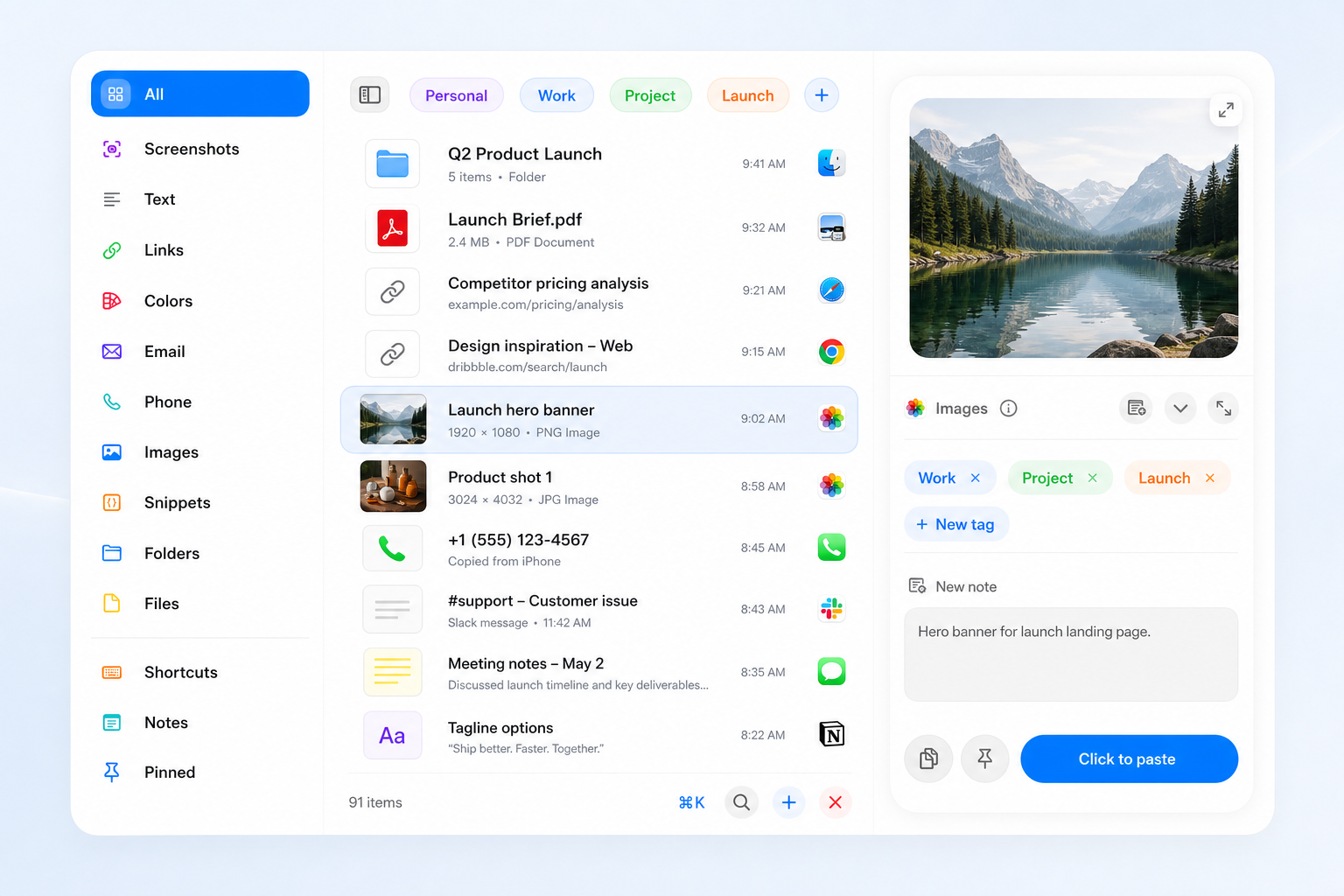 TypesClipboard history librarySearchScreenshot historyAssign shortcutsMetadataEdit clip
Power Search can find text and QR codes inside eligible screenshots and copied images using Apple Vision on your Mac. Inline text shortcuts also expand short triggers into saved replies or reusable text. Your history stays local.
Copy once. Reuse anytime.
Try itWith Linkhiv running, copy some text, a link or an image—or take a screenshot. Open your history with one shortcut, find it, and paste it where you need it.
Start with one small upgrade today
Keep the useful things
you copy within reach.
Find copied text, links, images and files in Linkhiv.
Searchable history, stored locally on your Mac.
One-time purchase · 30-day money-back guarantee