Linkhiv vs Paste Clipboard Manager
Make your Mac clipboard a place to work, not just a place to look back. Linkhiv brings together the keyboard-accessible Clipboard Library, drag-and-drop Clipboard Island, screenshot history and text expansion—with your history stored on your Mac.
Compare featuresPut your clipboard to work on your Mac
A clean, visual workspace with more built in. Linkhiv brings screenshot history, tags, inline text expansion, optional Apple Intelligence enrichment and local MCP access together with the Library and Island. Keep your everyday tools close, with your history stored on your Mac.
Features at a glance
Searchable history is the starting point. Compare how each app helps you organize and reuse it.
| Feature | Paste | Linkhiv |
|---|---|---|
| History search | Search saved copies. | Search saved clips. |
| Saved collections | Pinboards. | Custom tags and pins. |
| Clip notes | Not documented in the cited pages. | Keep notes with saved clips. |
| Clipboard Island | Not available. | Optional drag-and-drop interface. |
| Automatic screenshot history | No automatic screenshot capture documented. | Screenshots auto-added to your history. |
| Inline text expansion | Typed triggers not documented. | Expand saved text with a trigger. |
| Expansion variables | Not documented. | Date, time and clipboard variables. |
| AirDrop / file sharing | AirDrop file-sharing workflow not documented. | Drop files to share via AirDrop or macOS sharing. |
| Apple Intelligence | Contextual clipboard suggestions and Writing Tools on supported Macs. | Optional titles, summaries and search terms on supported Macs. |
| Text in images | Search and extract text from images. | Apple Vision finds text and QR codes in eligible images. |
| Local storage | On-device history. | On-device history. |
| Device sync | Mac, iPhone and iPad through iCloud. | Not available yet. Planned for a future update. |
| Lifetime option | Available. | Available · Pro Lifetime. |
US lifetime prices checked 27 September 2026: Linkhiv Pro Lifetime $49.99; Paste Lifetime $99.99. Taxes and regional prices may differ.
The everyday experience
Two ways to keep your work close
Both apps help you bring back something you copied. The bigger difference is where you find it—and where you want to use it next.

Paste: a visual timeline across your devices
A strip of previews puts recent copies at the bottom of your screen. Pinboards keep reusable items together, and iCloud sync carries your history to your other Apple devices.
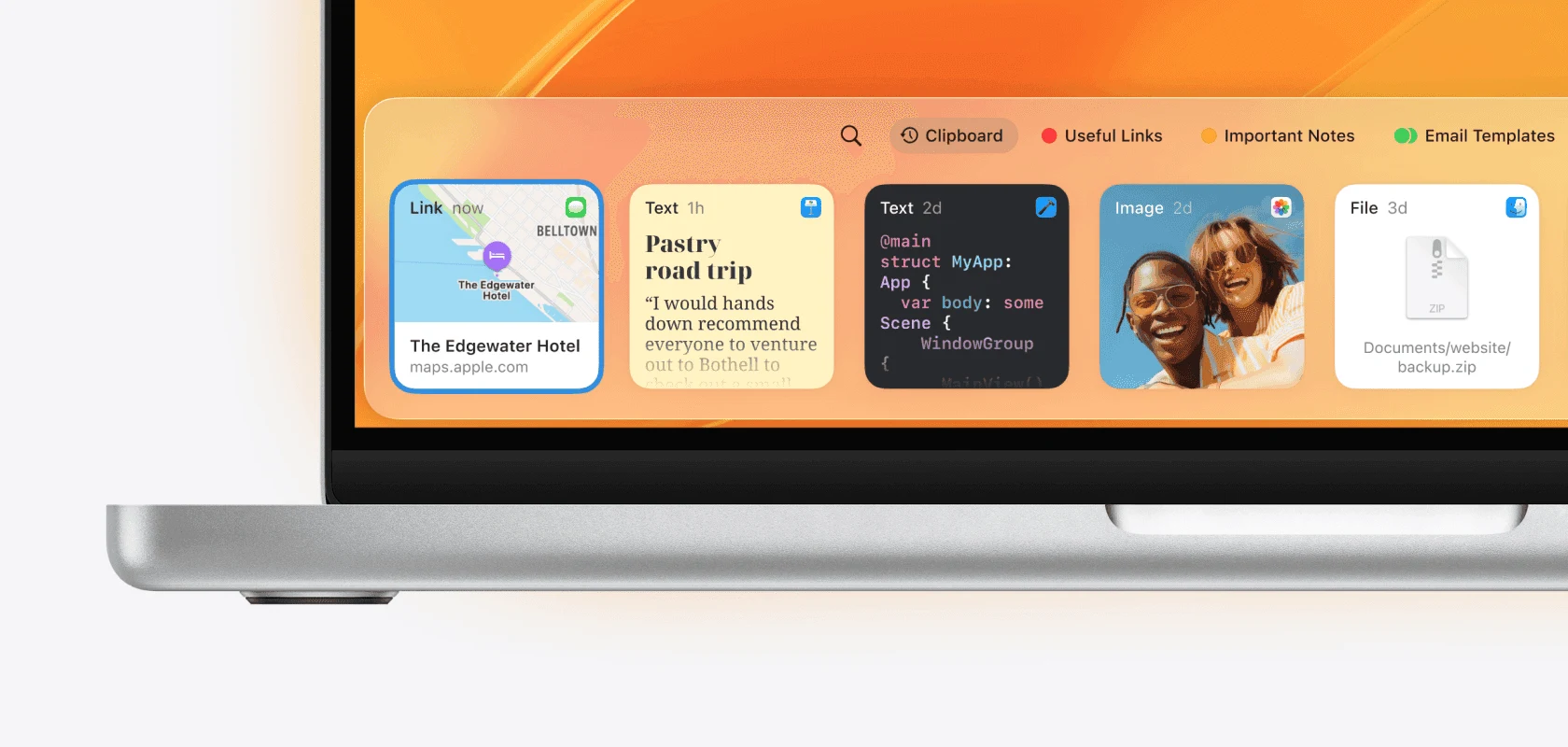

Linkhiv: one history, two ways in
Open the Library with a shortcut to search, preview and organize. Keep the optional Island close for dragging clips and files into your next app. Both use the same history, stored on your Mac.
Clipboard Island ↗
Clipboard Library ↗
More from your clipboard
A cleaner workspace. More built in.
Linkhiv pairs a clean, visual Library with a compact Island that stays close to your work. Search, previews and tags give everything a clear place, while built-in tools take care of more than clipboard recall.
Less repeat typing
Inline text expansion turns a short trigger into a saved reply or signature. Date, time and clipboard variables help with the details.
See inline text expansion ↗Find the detail inside an image
Power Search uses Apple Vision to find text and QR codes in eligible images. Optional Apple Intelligence adds titles, summaries and keywords.
Explore screenshot history ↗Connect your AI tools
Opt-in local MCP access lets trusted AI clients work with your clipboard through a privacy-filtered interface. You choose whether to enable it; permission to copy is separate.
Choose around your work
Which fits your day?
Paste is a natural fit when your priority is a clipboard timeline shared across Apple devices. If you want your clipboard to do more on your Mac, choose Linkhiv.
A cleaner workspace, with more built in. Linkhiv V3 brings the Library, Island, automatic screenshot history and inline text expansion into one considered Mac experience. Add optional Apple Intelligence and local MCP access, and you have tools for everyday work and your next AI workflow—with a lower upfront lifetime price.
Find your Linkhiv planFrequently asked questions
Is Linkhiv a Paste alternative for Mac?
Yes. Linkhiv V3 is a feature-packed Paste alternative with a clean, carefully designed Mac experience. You get automatic screenshot history, inline text expansion, tags, the Library and Island, plus optional Apple Intelligence and local MCP tools. Built to keep evolving, V3 gives you a fresh foundation for your everyday workflow. Its Pro Lifetime offer also costs less than Paste’s current lifetime plan: US$49.99 versus US$99.99, checked 27 September 2026; taxes and regional prices may differ.
Does Linkhiv sync clipboard history between devices?
Not yet. Device sync is on the roadmap for a future update. Today, Linkhiv keeps its history on your Mac; Paste offers iCloud sync across Mac, iPhone and iPad.
Can I turn Clipboard Island off?
Yes. Turn it off anytime and use Clipboard Library with your configured keyboard shortcut. The Island is optional and works with the same history as the Library.
Is a lifetime purchase unique to Linkhiv?
No—but Linkhiv V3 brings a fresh Mac experience at a substantially lower lifetime price. Pro Lifetime is US$49.99 compared with Paste’s US$99.99 lifetime plan, checked 27 September 2026. That is US$50 less upfront, with clipboard, screenshot and text-reuse tools together in one app. Taxes and regional prices may differ.